How Browser Games Actually Work
No download, no install, no launcher. What is really happening when a game runs in a tab, why Flash died, and what replaced it.
4 min read
You click a game and it starts. No installer, no updates, nothing left on your drive afterwards. That is unusual enough that it is worth explaining what is actually going on, and why it took about twenty years to become normal.
The short version
A browser game is a web page that happens to be a game. Same technologies as any other site — HTML for structure, CSS for appearance, JavaScript for behaviour — pointed at a different purpose.
When you click play, your browser downloads a few files and runs them. The game exists only in that tab. Close it and it is gone, apart from whatever it saved in your browser's local storage.
What draws the picture
Almost every browser game draws itself in one of three ways, and you can usually tell which by looking.
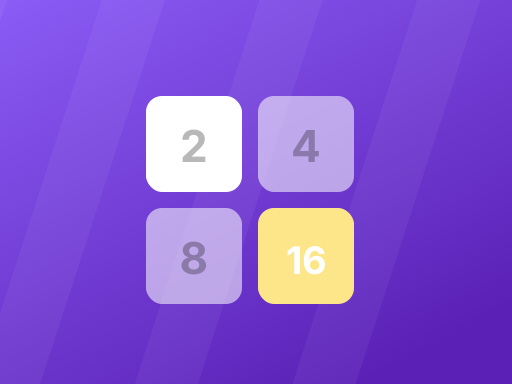
HTML elements. The simplest approach. 2048 is built this way — every tile is an ordinary div, positioned with CSS. It works on anything, needs no graphics hardware, and is the reason 2048 runs on a phone that struggles to load a news site.
Canvas 2D. A blank rectangle the game paints into, sixty times a second. Most 2D browser games use this — Asteroids draws its ships and rocks as lines on a canvas. Fast, flexible, and still fundamentally 2D.
WebGL. Direct access to your graphics hardware, which is what makes something like HexGL possible. It is the same class of technology desktop games use, running in a tab. It is also why 3D browser games are the ones that struggle on old machines: they are genuinely asking your GPU to work.
Why Flash died and what replaced it
If you played browser games before roughly 2015, you played Flash games. Flash was a browser plugin — separate software the browser handed control to.
That was its strength and its downfall. Being separate meant it could do things browsers could not. It also meant it had its own security holes, its own update cycle, and its own idea of battery life. On phones it was never really viable at all.
Browsers spent a decade absorbing what Flash did — canvas, audio, WebGL, gamepad support — until the plugin was redundant. Adobe ended Flash support in 2020 and browsers removed it entirely.
The transitional term for what replaced it was "HTML5 games", which mostly just means "games that do not need a plugin". Every game on this site is one.
What browser games still cannot do
Worth being straight about the limits, because they explain a lot about what you will and will not find.
Persistent multiplayer needs a server. A game where you share an arena with other people
requires a machine somewhere tracking everyone's position continuously. That costs money to run,
which is why .io-style games tend to come from companies rather than individuals, and why so
many shut down.
Large assets are a problem. A desktop game can ship 40GB because you wait for the install. A browser game has to load before you lose patience, which caps how much art and audio it can carry.
Storage is limited and fragile. Games save progress in your browser's local storage, which is private to that browser and disappears if you clear site data. There is no cloud save unless the game builds one.
Why they load so fast
The trick is that there is nothing to install. A typical game here is a few hundred kilobytes to a few megabytes — comparable to a couple of photographs.
Sites can also be lazy in useful ways. This one does not load a game until you click play, which is why the page appears instantly even though it lists over a thousand games. You are only ever downloading the one you asked for.
Are they safe?
Broadly, yes, and more so than the equivalent download.
A browser game runs inside the browser's sandbox — it cannot read your files, install anything, or persist after you close the tab. That is a genuinely strong boundary, and it is the same one protecting you on every other site you visit.
The realistic risks are the ordinary web ones: adverts, trackers, and sites that misrepresent what they are. Not the game code itself reaching into your machine, because it structurally cannot.