The Best Racing Games You Can Play in a Browser
Drift, stunt, and circuit racing that runs in a tab. Which ones are worth your time, which need a real keyboard, and what to expect on a phone.
3 min read
Racing is the genre browsers took longest to get right. For years the honest answer to "can I race in a browser" was "sort of, badly". WebGL changed that, and the good ones now genuinely hold up.
They also split into four quite different things that share a category label, and knowing which you want saves a lot of clicking.
Anti-gravity and arcade racers
The showpieces. HexGL is the one to try first — a futuristic hover-racer with real speed, neon canyons, and handling that has weight to it. It descends from the nineties anti-gravity racers and inherits their central lesson: the track is not what kills you, your own momentum is.
The air-brake matters more than the accelerator. New players hold forward and bounce off walls for a lap and a half. Players who learn to brake into corners are two seconds faster immediately.
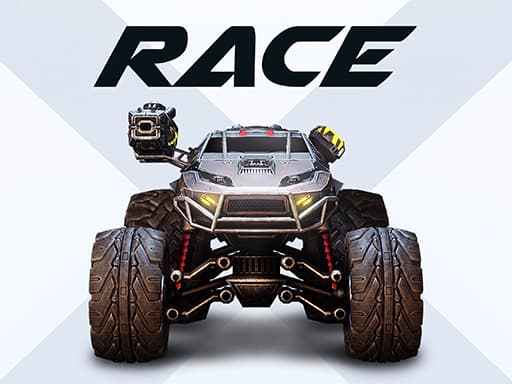
RACE: Rocket Arena Car Extreme goes the other direction — an arena rather than a circuit, where the cars are deliberately over-powered and contact is part of the game. It is less about the racing line and more about what you do when someone else has ruined yours.
Extreme Highway Traffic Racer is the simplest thing here and the easiest to pick up: one lane of traffic, one accelerator, and a scoring system that rewards near misses. Weaving at speed is the entire game.
Needs: HexGL wants real graphics hardware — it is full WebGL and will struggle on integrated graphics from before about 2016. The other two are far lighter.
Stunt and physics racers
The biggest group in this catalogue by volume. Ramps, flips, absurd air, and physics tuned for entertainment rather than realism.
The appeal is not winning — most barely have opponents — it is landing something ridiculous. They tend to be forgiving, restart instantly, and work well in short bursts.
They are also the most mobile-friendly racing games here, because the controls are usually just "accelerate" and "lean".
Traffic and endless drivers
Weave through traffic at increasing speed until you do not. These are closer to arcade survival games than races, and they suit a phone better than almost anything else in the genre — one thumb, one lane change at a time.
The skill curve is entirely about reading three cars ahead instead of one. Beginners react to the car in front; good players are already committed to a gap that has not opened yet.
Drift and precision driving
The most technical corner of the genre. Scored on control rather than speed — holding a slide through a corner rather than getting round it fastest.
These are the ones that most reward a real keyboard. Drifting needs simultaneous inputs and small corrections, and a touchscreen genuinely cannot express that.
What to expect on a phone
Worth being honest about, because racing is where browser gaming's mobile story is weakest.
Works well on mobile: traffic games, endless drivers, most stunt games. Anything designed around one or two inputs.
Works badly on mobile: drift games, circuit racers with braking, anything with a handbrake. Not because the games are bad but because precise simultaneous input is a keyboard thing.
Check the orientation: a game built for landscape on a phone held in portrait will letterbox into something tiny. Rotating the phone usually fixes what looks like a broken game.
A note on 3D racing games and old laptops
If a 3D racer stutters, before giving up:
- Look for quality settings. HexGL has them, and dropping to low often turns unplayable into fine.
- Go fullscreen. Rendering a smaller total pixel count is less work, so fullscreen on a low-resolution laptop can genuinely be faster than a window on a high-resolution one.
- Check
chrome://gpu. If it says software rendering, no 3D game will run properly until hardware acceleration is enabled in settings.
If none of that helps, the 2D stunt and traffic games in this category will run on anything and are frequently more fun anyway.